FS Notes Template – Editable Word File
84.84 $
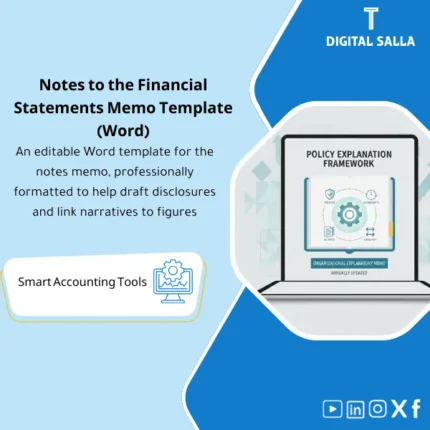
Financial Notes Template: Provides a structured notes framework—policies, rollforwards, and cross-references to statements—with fillable sections tailored by business activity. Delivers organized notes ready for annual reporting review.
Financial Statements Notes Template
FS Notes Template (Word) + Accounting Policies + Rollforwards + Cross-References + Evidence Index for delivery
Value Proposition: The FS Notes Template transforms notes into deliverables that can be linked to numbers: Adjusted TB + Schedules → Notes Draft (Word) + Rollforwards → Cross-References → Notes Pack within Closing Pack instead of a Word file that changes every year without Tie-out.
In 20 seconds: What will you get?
- A structure for FS Notes (Word) with ready titles/numbering/table of contents + fixed places for numbers and tables.
- A section for Accounting Policies with operational phrasing (Placeholders) + fields for “What do we need to document?”.
- Rollforward tables (Opening/Movements/Closing) for notes that recur annually (depending on your scope).
- Cross-Reference Sheet to link each Note to line items and the source of the number (TB/Schedule/JE Log).
- Evidence Index identifies the supporting file for each sensitive disclosure (Schedule/Report/Memo) within the Closing Pack.
- Sign-off + Version page for the reference version of the notes (Reviewed/Approved by + Date + Version).
CTA related to deliverables: Receive FS Notes Template + Rollforwards + Cross-References to produce Notes that can be included in the Closing Pack and linked to the Adjusted TB.
Suitable for
- Reporting Accountant writing the notes and needing a fixed template + movement tables + Cross-refs instead of manual editing every year.
- Financial Controller wanting “deliverable” Notes with Evidence Index and Sign-off for the final version.
- Head of Accounts needing to link numbers in the notes to TB/Schedules and document sources of sensitive items.
Not Suitable for
- Those wanting “100% ready notes” without customization for company policies or the nature of the activity or presentation/classification decisions.
- Those without supporting Schedules (FA/ECL/Provisions/Leases…) and unable to establish an Adjusted TB — you will not be able to close Tie-outs for the numbers.
Without the template / With the template (Quick Comparison)
| Item | Without the template | With the template |
|---|---|---|
| Notes Structure | Word file that changes every year + inconsistent arrangement | Fixed structure + numbering + table of contents + clear table placeholders |
| Movement Tables | Rollforwards built manually or forgotten | Ready Rollforwards (Opening/Movements/Closing) that can be linked to Schedules |
| Linking Numbers | Source of the number unclear (TB? Schedule?) | Cross-Reference Sheet: Note ↔ TB/Schedule/JE Log |
| Delivery | No Evidence Index or Sign-off | Evidence Index + Sign-off + Version within Closing Pack |
Before Use: 5 Symptoms Present in the Notes
- Every year the notes are built from scratch because there is no fixed “reference structure”.
- The numbers within the Notes do not match the Adjusted TB or the statements due to the absence of Cross-refs.
- Rollforwards (movement for provisions/assets/liabilities) are written as paragraphs without a clear movement table.
- Accounting policies are copied from old files without specifying “what has changed” or “what applies to the company”.
- During review: recurring questions about the source of the numbers because there is no Evidence Index identifying supporting files.
Financial Statements Notes Template: Application Method (3 Steps Without Gaps)
Step 1: Preparation and Gathering Inputs
- Establish the Adjusted TB (reference version for the period) + Draft FS.
- Gather Schedules that feed the notes according to your activity: FA schedule, ECL/AR, Provisions rollforward, Leases/IFRS 16 (if any), Revenue breakdown, Related parties… etc.
- Identify the approved policy version internally (or draft) and which items need updating/confirmation from management.
Step 2: Filling in Notes + Rollforwards + Cross-References
- Fill in the basic structure in Word: titles of the notes + scope of each Note + placeholders for numbers.
- Insert Rollforward tables and link them to numbers from Schedules/JE Log where necessary (e.g., movement for provisions/assets/liabilities).
- Update the Cross-Reference Sheet: for each number in the Notes, specify its source (TB line / Schedule / JE Log reference) and the date of the last update.
Step 3: Tie-outs + Approval + Delivery within Closing Pack
- Review Tie-out between Notes and statements/Adjusted TB: the numbers presented in the Notes must be linked to line items or Schedules.
- Record Sign-off on the reference version (Version/Date/Reviewer/Approver) before issuing “Final”.
- Compile the Notes Pack within the Closing Pack: Word/PDF + Cross-refs + Evidence Index + core Schedules used.
Product Components (Clear Inventory)
-
FS Notes Word Template (General Structure of the Notes)
- Practical Purpose: A Word file with numbering and table of contents and ready sections for Notes, with fixed places for tables and numbers.
- When to Use: Year-End as a base version, and can be used in Interim as a draft.
- Resulting Output: Notes Draft with standardized numbering suitable for internal/external review.
-
Accounting Policies Section (Policies Section)
- Practical Purpose: Policies phrased with Placeholders (What is the approach? What is the scope of application? What are the sensitive provisions?) to consolidate policies in one place instead of scattered texts.
- When to Use: Year-End, and upon any policy change/application of a new standard within the company.
- Resulting Output: Completed Policies Section + internal notes clarifying presentation/application decisions.
-
Rollforward Tables Pack (Movement Tables)
- Practical Purpose: Opening/Movements/Closing tables for items that require movement (e.g., Provisions/ECL/FA/Leases… depending on your scope).
- When to Use: Year-End (essential) + as needed in periodic reports for items with movement.
- Resulting Output: Rollforward for each Note linked to its source (Schedule/JE Log) and not just a “total number” without movement.
-
Notes Data Input Sheet (Numbers Input File)
- Practical Purpose: A page that consolidates the key numbers for the notes (analysis/detail items) with the source of each number and its update date.
- When to Use: During the preparation of Notes and before finalizing the version.
- Resulting Output: Input Sheet that facilitates reviewing numbers without referring to each Schedule every time.
-
Cross-Reference Matrix (Notes ↔ FS/TB/Schedules)
- Practical Purpose: Linking each Note to a line item or account/group of accounts in the TB or a specific Schedule (traceable Tie-out).
- When to Use: Before approving the final version and within the auditor’s delivery.
- Resulting Output: Matrix showing “source of the number” and reducing recurring inquiries about linking.
-
Evidence Index (Supporting Index for the Notes)
- Practical Purpose: Identifying where the evidence for each disclosure is located: file/folder/link name (Schedule/Report/Memo/JE Log).
- When to Use: When preparing the Closing Pack and delivering Year-End.
- Resulting Output: Evidence Index attached to the Notes Pack as a delivery reference.
-
Sign-off & Version Control (Version Approval)
- Practical Purpose: Establishing the reference version of the notes: Version + Date + Who prepared/reviewed/approved + a brief change log.
- When to Use: When transitioning from Draft to Final and before sending the file to the auditor/management.
- Resulting Output: Approval page that prevents confusion between Notes versions within the team.
-
Closing Pack Insert (Notes Delivery Section)
- Practical Purpose: Integrating the notes within the Closing Pack as a separate section: Notes + Cross-refs + Evidence + core Schedules.
- When to Use: Year-End (and possibly Interim when there is an official internal delivery).
- Resulting Output: Indexed Notes Pack that facilitates tracking during review and audit.
CTA related to deliverables: Word Notes Template + Rollforwards + Cross-Refs + Evidence Index to include the notes in the Closing Pack with Tie-out for the numbers.
What should be included in the delivery?
- 01 – Notes Document: Word file for the notes (Draft/Final) with numbering, table of contents, and version date.
- 02 – Policies Section: Completed policies section + any internal notes on choices/applicability (optional internal).
- 03 – Rollforwards: Movement files/tables (Opening/Movements/Closing) for each Note requiring movement (Provisions/ECL/FA/Leases… as available).
- 04 – Notes Input Sheet: Input sheet clarifying analytical numbers within the notes and the source of each number.
- 05 – Cross-Reference Matrix: File linking each Note to line items and to TB/Schedules/JE Log reference.
- 06 – Evidence Index: Index of supporting files (file/folder/link name) for each sensitive disclosure.
- 07 – Reference TB & Draft FS: Reference Adjusted TB + Draft FS used for linking (with clear extraction date).
- 08 – Schedules Folder: Folder of Schedules actually used (FA/ECL/Provisions/Revenue/Related parties… etc.) with organized naming.
- 09 – Sign-off & Version: Final version approval page + brief change log between Draft and Final.
- 10 – Closing Pack Section: Folder/section titled “FS Notes” containing all of the above with a single index.
After Application (Two Points Only)
- Operational Outcome for the Team: The notes are managed as a file with inputs and movement tables linked to numbers, not as a separate “Word drafting” from the TB and closing logs.
- Control/Audit Outcome (Evidence & Traceability): Any number within the Notes can be traced back to (TB/Schedule/JE Log reference) through Cross-refs, along with an Evidence Index identifying the support within the Closing Pack.
FAQ — Questions Before Purchase
Is the template suitable for IFRS or IFRS for SMEs?
The template is designed to be general and adaptable according to your company’s framework. The real difference lies in the “scope of disclosures” and some sections; therefore, you will need to tailor the titles/content according to your framework and references.
Does it provide “publish-ready” accounting policy text?
It provides policies phrased with editable Placeholders (What does the policy apply to? What is the measurement approach? What are the sensitive provisions?). It must be aligned with your company’s policies and what has been approved internally.
Does the template ensure compliance of disclosures with requirements?
No. The template focuses on structure, documentation, linking, and delivery. Determining applicability and final updates is the responsibility of management and its auditors (especially when standards or the nature of the company changes).
Is it suitable for multi-branch/entities companies?
Yes. You can prepare Notes at the group level with consolidated movement tables, or prepare Notes for each entity and then consolidate them. The important thing is to have TB/Schedules for each scope you want to disclose.
What is the minimum data required to get started?
An Adjusted TB + Draft FS. And for the tables: any available Schedules (at least FA schedule if you have assets, and AR/ECL if you have receivables).
Does it include movement tables (Rollforwards)?
Yes. There are Opening/Movements/Closing tables for use with items that require movement. The type of tables you will implement depends on what is actually available to you (Provisions/ECL/FA/Leases… etc.).
Can it be used for Month-End?
It can be for internal reports or Interim, but the primary use is Year-End as the Notes are part of the final delivery (Closing Pack) and require complete Tie-outs.
Is there a delivery template for the auditor?
Yes. Evidence Index + Cross-Reference Matrix + Sign-off makes the Notes Pack deliverable and traceable, identifying the reference version and supporting files.
Ready to deliver the notes as a package linked to the numbers?
You will receive: Notes (Word) + Rollforwards + Cross-Refs + Evidence Index + Sign-off to include in the Closing Pack and link to the Adjusted TB.
| المسمّى الوظيفي | |
|---|---|
| Duration | |
| المستوى | |
| التحديثات | |
| القطاع | |
| الصيغة |

Reviews
Clear filtersThere are no reviews yet.