




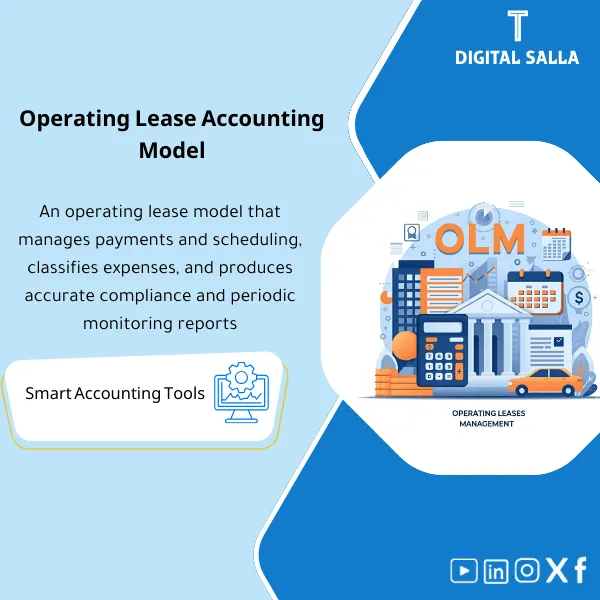
Operating Lease Accounting Model – Excel File
159
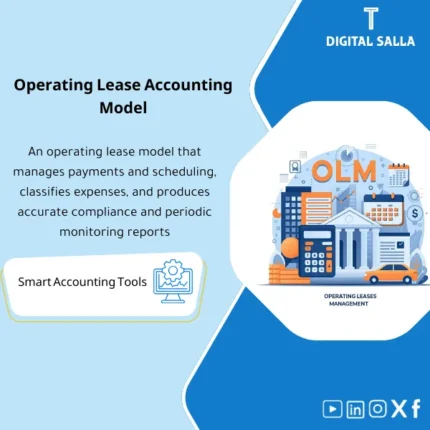
Operating Lease Expense Management Template is an effective Excel program to monitor and control operating lease expenses through detailed schedules and precise reporting of expense balances, prepaid and accrued rent—enabling easy reconciliation to the trial balance and variance analysis.
Still Tracking Operating Leases in Scattered Spreadsheets with No Clear Audit Trail?
This ready-made Excel model gives you everything you need to manage your entire operating lease cycle — from lease registration and payment tracking to VAT calculations, prepaid/accrued adjustments, cost allocation, and month-end closing. One structured workbook with 7 integrated sheets that turns hours of manual lease accounting into a streamlined, error-free process.
🛡️ 7-Day Guarantee
📊 Editable Excel File
5 Signs You Need This Operating Lease Model
1Lease Data Lives Everywhere: Your lease contracts sit in PDFs, emails, and disconnected files — making it nearly impossible to get a complete picture of your lease obligations at any given moment.
2Payment Tracking Is a Nightmare: You struggle to reconcile which invoices have been paid, which are outstanding, and which periods are covered — leading to missed payments or duplicate entries.
3Prepaid and Accrued Rent Confusion: Calculating prepaid rent and accrued rent adjustments at each cut-off date is error-prone without a proper accounting framework built into your workflow.
4No Journal Entry Log: Without a centralized JE log, your journal entries lack proper documentation, making audits stressful and reconciliation to the GL/TB unreliable.
5Month-End Takes Forever: Preparing lease-related closing schedules, cost allocations, and supporting documents manually eats up valuable time every single reporting period.
What You Get
A comprehensive Excel workbook with 7 purpose-built sheets that cover every aspect of operating lease accounting from start to close:
| Lease Register | Central database for all lease details — contract dates, terms, rental amounts, escalation clauses, landlord info, and unique reference IDs for each lease. |
| Payment Tracking Sheet | Track every invoice with real-time status updates (Invoiced / Paid / Outstanding) across all leases, with automatic aging and period matching. |
| VAT Calculation Module | Automatically calculates VAT on each lease payment and tracks input tax status (fully recoverable / partially recoverable / non-recoverable) aligned with local tax regulations. |
| Accounting Adjustments Sheet | Computes prepaid rent and accrued rent adjustments automatically based on invoice dates and coverage periods — ensuring accurate cut-off at every reporting date. |
| Cost Allocation Module | Distributes lease costs across departments, branches, or cost centers using customizable allocation keys — ready for management reporting. |
| Journal Entry Log (JE Log) | Auto-generated journal entries with full details: date, description, account codes, debit/credit amounts, and reference numbers — ready for GL/TB posting. |
| Closing Pack | A consolidated month-end package with summary schedules, movement reconciliations, supporting notes, and audit-ready documentation. |
How to Use This Model
Enter Your Lease Data
Start by inputting your lease contracts into the Lease Register — contract dates, rental amounts, payment frequency, and landlord details. The structured format ensures nothing gets missed.
Record Invoices and Payments
As invoices arrive, log them in the Payment Tracking sheet. The model automatically updates each lease’s payment status (Invoiced / Paid / Outstanding) and flags overdue items.
Review Adjustments and Allocations
At each reporting date, the model calculates prepaid and accrued rent adjustments, applies VAT treatment, and distributes costs across your departments or cost centers automatically.
Generate Entries and Close
Export your journal entries from the JE Log for GL posting, then use the Closing Pack to produce audit-ready schedules and supporting documentation — your month-end is done.
Before vs. After This Model
| Aspect | ❌ Without | ✅ With This Model |
|---|---|---|
| Lease Data | Scattered across emails, PDFs, and folders | Centralized register with every detail in one place |
| Payment Tracking | Manual follow-ups with no clear aging report | Real-time status for every invoice across all leases |
| Accounting Adjustments | Calculated manually with high risk of cut-off errors | Automated prepaid and accrued calculations every period |
| Month-End Closing | Hours spent assembling schedules from scratch | Ready-made closing pack with audit-ready documentation |
You are an accountant, financial controller, or finance manager who handles operating leases (office spaces, warehouses, equipment) and needs a reliable, structured Excel model to manage lease accounting, track payments, handle adjustments, and produce clean closing schedules — without building everything from scratch.
You need a model for IFRS 16 right-of-use asset calculations and finance lease accounting (a separate product covers that), or you already use a fully integrated ERP module that automates your entire lease accounting workflow.
Does this model handle VAT on lease payments?
Yes. The model includes a dedicated VAT calculation module that computes input tax on each payment and tracks recoverability status (fully recoverable, partially recoverable, or non-recoverable) in line with local tax regulations.
Is this model suitable for IFRS 16 lease accounting?
This model is designed specifically for operating leases under traditional accounting treatment. It does not include right-of-use asset or lease liability calculations. If you need IFRS 16 compliance, please check our separate IFRS 16 model.
Can I add more leases over time?
Absolutely. The model is fully editable and scalable — simply add new rows to the Lease Register and the linked sheets will incorporate the new data into calculations, tracking, and reporting automatically.
Will this work with my company’s chart of accounts?
Yes. The Excel file is completely customizable — you can map your own account codes, cost centers, and department structures to match your company’s chart of accounts and reporting requirements.
Ready to Take Control of Your Operating Lease Accounting?
Stop wasting hours on manual tracking and error-prone spreadsheets. Get this structured Excel model and manage your entire operating lease cycle with confidence.
| الفئات | Fixed Assets |
|---|---|
| Job Title | Accountant |
| Level | Intermediate |
| Format | Excel |
Related products


Fixed Assets Depreciation Model – Excel File
Fixed Assets Depreciation & Management Template is a comprehensive Excel program to manage fixed assets and calculate depreciation accurately using the straight-line method. It provides detailed and summarized depreciation and net book value reports, and can be easily reconciled to the trial balance—enhancing fixed asset control and efficiency.

Reviews
Clear filtersThere are no reviews yet.