




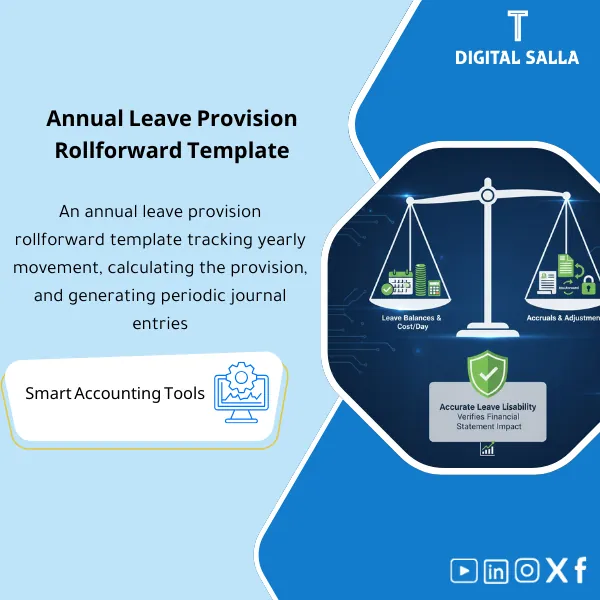
Vacation Accrual Rollforward – Excel Template
159
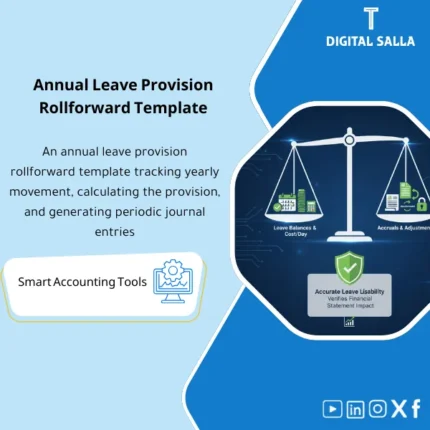
Leave Provision: Converts leave day balances into a monetary liability with annual movement tracking and accrual journals, linked to daily cost rates. Delivers rollforwards and close memos for HR and finance teams at year-end and periodic close.
Still Tracking Vacation Accruals Manually and Hoping the Numbers Add Up?
Stop guessing and start reconciling with confidence. This ready-made Excel template gives you a complete Rollforward framework: Opening Balance + Accruals − Usage − Adjustments = Closing Balance — so you can track every employee’s leave provision accurately and tie it back to your general ledger in minutes, not hours.
🛡️ 7-Day Guarantee
📊 Excel Ready-to-Use
5 Signs You Need This Vacation Accrual Template
1Scattered Leave Data: Vacation balances live in multiple spreadsheets, emails, or HR systems — and no single source tells you the full picture at any given date.
2Month-End Surprises from HR: Every closing cycle turns into a back-and-forth with HR trying to reconcile who took leave, who accrued more, and what adjustments were missed.
3Inaccurate Day Rate Calculations: Without a structured formula, computing each employee’s daily cost — including allowances — becomes error-prone and inconsistent.
4No Clear Audit Trail: When auditors ask how you moved from opening to closing balance, you scramble to reconstruct the logic instead of pointing to a clean rollforward.
5GL Balances Don’t Match HR Records: The vacation provision in your trial balance never quite ties to what HR reports — and finding the variance eats up valuable time every period.
What You Get
A fully structured Excel workbook designed to manage vacation accrual provisions from start to finish — here is everything included:
| Rollforward Sheet | The core tracker: Opening Balance + New Accruals − Days Used − Adjustments = Closing Balance for each employee. |
| Day Rate Calculator | Automatically computes each employee’s daily cost based on salary and applicable allowances — no manual math needed. |
| Trial Balance Tie-Out | A built-in reconciliation check that compares your rollforward output to the GL balance — highlights variances instantly. |
| Journal Entry Summary | Pre-formatted section showing the required accrual and reversal entries, ready to post or share with your accounting team. |
| Documentation Notes | Clear instructions and assumptions documented within the file so anyone on your team can understand and maintain it. |
How to Use This Template
Input Employee Data from HR
Start by entering each employee’s basic information: name, hire date, salary, allowances, and their current vacation balance carried forward from the prior period.
Calculate the Day Rate
The template automatically calculates each employee’s daily cost using their total compensation package — giving you the monetary value of every vacation day accrued or used.
Complete the Rollforward
Fill in the period’s activity: new accruals earned, days taken, forfeitures, and any adjustments. The template computes the closing provision balance automatically.
Reconcile to the Trial Balance
Use the TB Tie-Out section to compare your calculated provision against the general ledger. Any difference is flagged so you can investigate and resolve it before closing.
Before vs. After This Template
| Aspect | ❌ Without | ✅ With Template |
|---|---|---|
| Accrual Tracking | Manual calculations scattered across files | One structured rollforward with automatic formulas |
| Day Rate Accuracy | Inconsistent manual computation, frequent errors | Auto-calculated daily cost including all allowances |
| Period-End Close | Hours spent rebuilding the accrual schedule | Rollforward updates in minutes with clear movement |
| GL Reconciliation | Unexplained variances between HR and Finance | TB Tie-Out confirms the balance matches every period |
You are an accountant, financial controller, or HR professional who needs a reliable, audit-ready method to track vacation provisions — especially if you work in a company without an ERP module handling leave accruals automatically.
Your organization already has a fully integrated ERP system that calculates and posts vacation accrual provisions automatically — in that case, you may not need a standalone template.
Do I need advanced Excel skills to use this?
Not at all. The template uses standard Excel formulas — no macros, no VBA. If you can enter data into cells, you can use this template. It also works in Google Sheets.
Can I customize it for my company?
Yes. The file is fully editable — you can add columns, rename fields, adjust formulas, and tailor it to match your organization’s specific leave policies.
Is this template compliant with IFRS?
The template is designed with IAS 19 principles in mind for short-term employee benefits. However, you should always validate the output against your company’s specific accounting policies and auditor requirements.
What if the template doesn’t meet my needs?
You are covered by our 7-day money-back guarantee. If it is not the right fit, contact us via email for a full refund — no questions asked.
Ready to Take Control of Your Vacation Accruals Once and For All?
Stop spending hours on manual calculations. Get a proven Rollforward template that keeps your leave provisions accurate, reconciled, and audit-ready.
| الفئات | Payroll & Human Resources |
|---|---|
| Job Title | Chief Accountant |
| Level | Advanced |
| Format | Excel |
Related products
Reviews
Clear filtersThere are no reviews yet.