




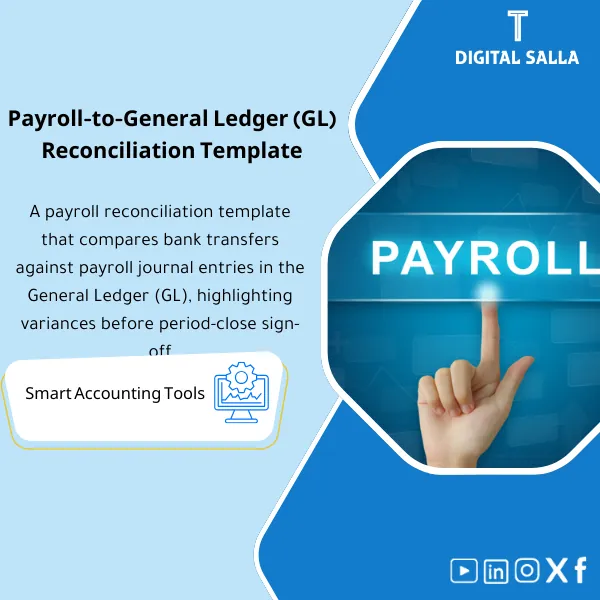
Payroll Reconciliation – Excel Template
159
Payroll Reconciliation: Links payroll registers to bank transfers and the general ledger, detailing deductions, advances, and variances per employee. Delivers a variance report and a monthly payroll account reconciliation for payroll teams and chief accountants before month-end close.
Still Spending Hours Every Month Chasing Payroll Differences That Should Take Minutes?
A ready-to-use Excel template that lets you reconcile your Payroll figures against Bank/WPS transfers and GL postings in one structured workbook — so your month-end Closing Pack is accurate, audit-ready, and done in a fraction of the time.
🛡️ 7-Day Guarantee
📦 Closing Pack Ready
5 Signs Your Payroll Reconciliation Process Is Broken
1Payroll vs. Bank Never Matches on the First Try: You export payroll data, pull the bank statement, and spend hours hunting for the variance — only to discover a missed WPS batch or a timing difference you could have caught instantly.
2No Payroll Control Account Tracking: Your Payroll Clearing or Control account keeps rolling forward with unexplained balances, and no one can tell if the issue is from this month or three months ago.
3Audit Queries You Cannot Answer Fast: When auditors ask for a reconciliation between payroll records and GL entries, you scramble to build one from scratch every single time.
4Retro Adjustments Create Chaos: Backdated salary changes, termination settlements, or corrections throw off your reconciliation and you lose track of what was adjusted and when.
5Closing Pack Takes Forever to Assemble: You know the reconciliation is done, but pulling together a clean, presentable package for management or auditors is a whole separate headache.
What You Get
One Excel workbook with five integrated sheets covering every angle of monthly payroll reconciliation — from summary to closing pack.
| Payroll Summary Sheet | Consolidates all payroll components — Gross, Net, Deductions — into one clear view by department or cost center |
| Bank / WPS Reconciliation Sheet | Matches payroll disbursements against WPS or bank transfer records to isolate timing differences and missing payments |
| GL Reconciliation Sheet | Ties payroll journal entries back to the General Ledger so every batch posting is accounted for with no unexplained variances |
| Rollforward Schedule | Tracks the Payroll Control / Clearing account month over month so you always know the opening balance, movements, and closing balance |
| Closing Pack Checklist | A step-by-step sign-off sheet that ensures every reconciliation item is reviewed, approved, and ready for audit or management review |
How to Use It in 4 Simple Steps
Enter Your Payroll Data
Paste or type your monthly payroll figures — Gross pay, Deductions, and Net pay — into the Payroll Summary sheet. The built-in formulas handle the rest automatically.
Reconcile Against Bank / WPS
Import your bank statement or WPS file data, and the template highlights any differences between what payroll says was paid and what actually left the bank account.
Match to the General Ledger
Enter your GL payroll postings and the sheet cross-checks them against the payroll totals — surfacing any unposted batches, duplicate entries, or classification errors.
Finalize and Package
Complete the Rollforward schedule, tick off the Closing Pack checklist, and your month-end payroll reconciliation file is ready to share with management or auditors.
Your Payroll Close: Before vs. After This Template
| Aspect | ❌ Without | ✅ With This Template |
|---|---|---|
| Reconciliation Time | 4–8 hours of manual matching each month | Done in under one hour with structured sheets |
| Variance Detection | Differences found late — sometimes after closing | Variances flagged instantly as you enter data |
| Payroll Control Account | Unexplained balances rolling forward for months | Rollforward tracks every movement clearly |
| Closing Pack | Assembled ad hoc from scattered files and emails | One workbook — complete, consistent, audit-ready |
You are an accountant, payroll specialist, or finance manager who handles monthly payroll reconciliation against bank/WPS and GL — and you want a repeatable, professional template that saves hours and keeps your closing pack clean every single month.
You are looking for a fully automated payroll processing system or an ERP module — this is a structured Excel reconciliation template, not payroll calculation software.
Can I customize the template for my company’s chart of accounts?
Absolutely. The file is a fully editable Excel workbook. You can rename accounts, add rows, and adjust formulas to match your specific GL structure and payroll components.
Does it work with any WPS provider or bank format?
Yes. The reconciliation sheet is provider-agnostic. You simply paste your bank or WPS data into the designated columns and the template handles the matching logic.
Can I use it for multiple months or entities?
Of course. Duplicate the workbook for each month or entity. The Rollforward sheet is specifically designed to carry balances forward from one period to the next.
Is this template suitable for external audit requirements?
Yes. The Closing Pack checklist and structured reconciliation format are designed to meet the documentation standards auditors expect, making your audit prep significantly smoother.
Ready to Close Payroll in Hours Instead of Days?
Get the complete Payroll Reconciliation Template — Bank, GL, Rollforward, and Closing Pack — all in one professional Excel workbook.
| الفئات | Payroll & Human Resources |
|---|---|
| Job Title | Accountant |
| Level | Intermediate |
| Format | Excel |
Related products



Reviews
Clear filtersThere are no reviews yet.