




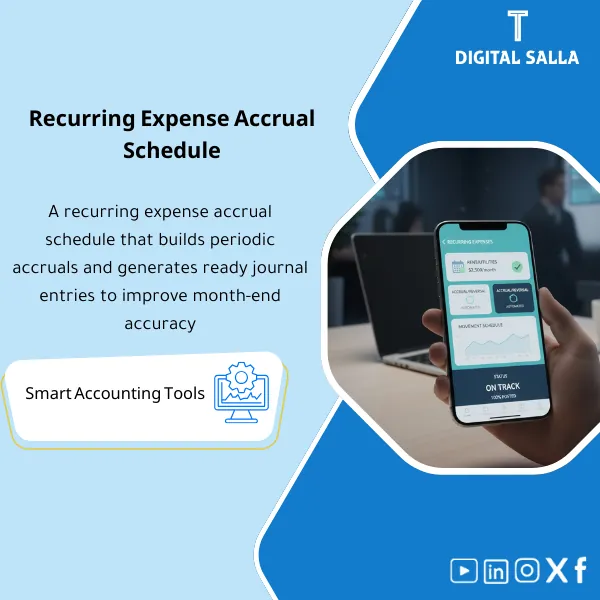
Recurring Expenses Accrual + JEs – Excel File
238
Recurring Expenses Accrual: Recognizes rent, utilities, and subscriptions monthly via accruals with reversing entries and settlement upon invoice receipt. Delivers movement schedules and close journals to stabilize period expenses.
Still Calculating Recurring Accruals Manually Every Month-End?
This ready-made Excel workbook automates your recurring expenses accrual calculations, generates Accrual and Reversal journal entries instantly, and ties out to your Trial Balance and Closing Pack — giving you a complete, audit-ready month-end accrual workflow that saves hours of repetitive work.
🛡️ 7-Day Guarantee
📊 Editable Excel File
5 Signs You Need This Accrual Workbook
1Manual Accrual Calculations: You spend hours every month manually computing accruals for rent, insurance, subscriptions, and other recurring expenses.
2Reversal Entry Errors: You’ve posted the wrong reversal amount — or forgotten one entirely — creating headaches in the next period’s financials.
3No Tie-Out to Financial Statements: Your accrued expenses don’t reconcile cleanly to the Trial Balance or Closing Pack, and you can’t pinpoint the difference.
4Inconsistent Journal Entries: Each month your JE format looks different, making audit trails difficult and review time-consuming.
5Month-End Bottleneck: Recurring accruals pile up at close, delaying reporting deadlines and increasing pressure on the entire finance team.
What You Get
One comprehensive Excel workbook containing everything you need to manage, calculate, post, and reconcile recurring expense accruals.
| Recurring Expenses Master List | Pre-structured sheet to log all recurring expenses (rent, insurance, subscriptions, etc.) with vendor, GL account, and contract details |
| Accrual Calculation Template | Auto-calculates Full or Prorated accrual amounts based on period dates and expense terms |
| Accrual Journal Entries Sheet | Generates ready-to-post accrual JEs with debit/credit lines, GL codes, and descriptions |
| Reversal Journal Entries Sheet | Auto-creates reversal JEs for the following period so no accrual is left outstanding |
| Tie-Out & Reconciliation Sheet | Reconciles accrued balances to the Trial Balance, Adjusted TB, and Closing Pack in one view |
| User Guide & Instructions | Step-by-step instructions with field definitions so you can start using the workbook immediately |
How to Use It in 4 Simple Steps
Enter Your Recurring Expenses
Open the Master List sheet and input your recurring expenses — vendor name, expense type, GL account, contract amount, and payment frequency. This is your single source of truth.
Calculate the Accruals
The Accrual Calculation sheet automatically computes each expense’s accrual amount. Choose Full Accrual or Prorated based on the period coverage and let the formulas do the work.
Generate & Post Journal Entries
Accrual and Reversal JEs are generated automatically with correct GL codes and amounts. Copy them directly into your ERP or accounting system.
Tie Out to Financial Statements
Use the Tie-Out sheet to verify that accrued expense balances reconcile to your Trial Balance, Adjusted TB, and Closing Pack — ensuring your month-end close is accurate.
Your Month-End Close: Before vs. After
| Aspect | ❌ Without This Workbook | ✅ With This Workbook |
|---|---|---|
| Accrual Calculation | Manual formulas rebuilt every month, prone to errors | Automated calculations with Full and Prorated options |
| Reversal Entries | Forgotten or misposted reversals causing period misstatements | Auto-generated reversals linked to each accrual entry |
| Reconciliation | No clear tie-out; differences found during audit | Built-in tie-out to TB, Adjusted TB, and Closing Pack |
| Month-End Speed | Hours spent on spreadsheets and manual checks | Streamlined workflow completed in a fraction of the time |
You are an accountant, senior accountant, financial controller, or finance manager responsible for month-end close — especially if you handle recurring expenses like rent, insurance, subscriptions, or maintenance contracts and need a structured, repeatable accrual process.
You already have a fully automated ERP module that handles recurring accruals, reversals, and reconciliation end-to-end with no manual intervention needed.
Which version of Excel do I need?
The workbook is compatible with Excel 2016 and later, including Microsoft 365. No macros or add-ins are required.
Can I customize the GL accounts and expense categories?
Absolutely. The file is fully editable — you can modify GL codes, account names, expense categories, and formatting to match your company’s chart of accounts.
Does it support prorated accruals for mid-period expenses?
Yes. The calculation template lets you choose between Full Accrual and Prorated Accrual based on the actual coverage period, so mid-month starts are handled accurately.
Will I receive updates if the file is improved?
Yes. You get free lifetime updates. Any enhancements or improvements will be available for you to download at no additional cost.
Ready to Close Your Books Faster and With Confidence?
Get the complete recurring accrual workflow — from calculation to journal entry to tie-out — in one professional Excel workbook.
| الفئات | Petty Cash & Administrative Expenses |
|---|---|
| Job Title | Chief Accountant |
| Level | Advanced |
| Format | Excel |
Related products

Reviews
Clear filtersThere are no reviews yet.