
VAT Reconciliation Model – Excel File

42.29 $

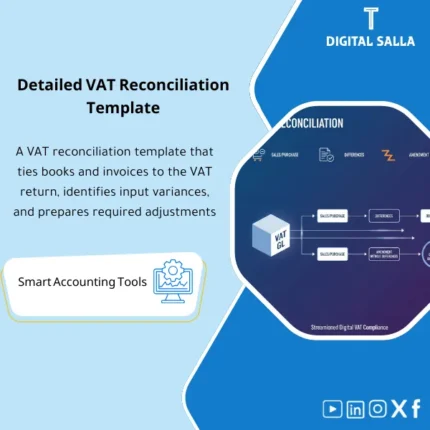
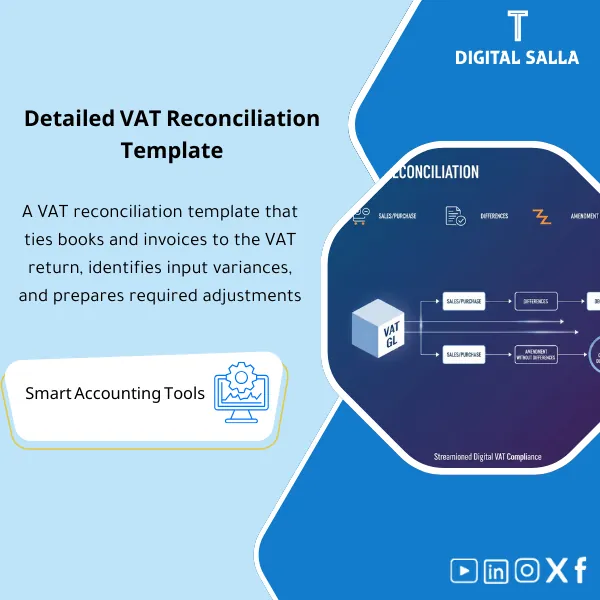
VAT Reconciliation: Links the GL to sales/purchase invoice registers and VAT return references with a variance table, root causes, and correction actions. Delivers a reconciliation file ready before VAT filing for monthly/quarterly compliance.

SKU: DIS200 Category:
Description

VAT Reconciliation

VAT Reconciliation Template: GL VAT Tie-out + Invoice Registers + Return Bridge + Variance Log + JE Log + VAT Pack

Value Proposition: The VAT reconciliation template links GL Accounts with Invoice Registers and VAT Returns for the same period: Output/Input VAT Registers → GL VAT Tie-out → Variances + Adjustments (JE Log) → VAT Return Support Pack before submission and prior to Month-End / Year-End.

In 20 seconds: What will you get?

  • Output VAT Register: Invoices + Credit/Debit notes + Tax classification.
  • Input VAT Register: Purchase invoices + Notes + Deductible/Non-deductible tax (as per your setup).
  • GL VAT Tie-out: Linking invoice registers to VAT accounts in the general ledger (VAT Control Accounts).
  • Return Bridge: A bridge that shows how the return number was derived from the registers (By tax code / rate).
  • Variance Log: A categorized log of variances (Timing / Tax Code / Missing Invoice / Credit Note / Cut-off / FX…)
  • VAT Adjustments JE Log: Adjustment entries with reason + support + approval + posting status.
  • VAT Reconciliation Pack: Delivery index for the period (Draft→Final) to be included in the Closing Pack.

CTA related to deliverables: Receive GL VAT Tie-out + Variance Log + JE Log to close the return number on Adjusted TB and document the “VAT Pack” for the period.

Suitable for

  • Tax/VAT Accountant responsible for preparing the return and wants a clear tie-out between the registers and the return.
  • Financial Controller who wants a delivery file for the period linking VAT to the ledger accounts within Month-End/Year-End.
  • AP/AR Supervisor who needs a variance report identifying missing invoices/notes or Tax code errors.

Not suitable for

  • Companies not registered for VAT or not submitting periodic returns (there will be no Return Bridge).
  • Those looking for a “ready-to-submit government form” or integration for electronic return submission (this is a workpaper for reconciliation and documentation).

Without the template / With the template (Quick Comparison)

Item Without the template With the template
Linking the return to the registers The return number is reviewed overall without a clear bridge Return Bridge links the number by Tax code / rate and its source
GL VAT Control Variances appear after submission or during audit GL VAT tie-out is closed before period approval
Variances “Unknown” variances or adjustments without a record Variance Log + VAT Adjustments JE Log with reason, support, and approval
Delivery No Pack for the period VAT Reconciliation Pack ready for archiving within the Closing Pack

Before use: 5 Symptoms of VAT Issues

  • VAT accounts in GL do not match totals from the invoice registers (Output/Input).
  • Credit/Debit notes appear in the system but do not show in the VAT register or appear in a different period (Cut-off).
  • Missing/duplicate invoices or incorrect Tax codes resulting in discrepancies in the return.
  • Return adjustments are recorded outside a clear log, making them untraceable later.
  • At Month-End/Year-End, there is no “VAT Pack” showing the tie-out and what has been approved as final.

VAT Reconciliation: Application Method (3 Steps Without Gaps)

Step 1: Preparation and Report Gathering

  • Extract VAT GL Accounts (Output VAT / Input VAT / VAT Payable/Receivable as per COA structure) for the period.
  • Extract Sales Invoices Listing + Purchase Invoices Listing + Credit/Debit notes with Tax codes.
  • Prepare Draft VAT Return or Summary from the system/return portal (if available).

Step 2: Reconciliations + Variances + VAT JE Log

  • Fill in the Output VAT Register and Input VAT Register by Tax code/rate for the period.
  • Run GL VAT Tie-out: Invoice registers ↔ VAT control accounts in GL and identify variances.
  • Record variances in the Variance Log and then prepare the VAT Adjustments JE Log (correcting Tax code / Cut-off / Reversal/Proof… as applicable) with support and approval.

Step 3: Return Bridge + Final Pack + Linking to Closure

  • Build the Return Bridge: Return number = Output VAT – Input VAT (and other components as per your framework) with explanations for any Adjustments.
  • Finalize a Final copy for the period: Return Bridge + Tie-outs + JE Log + Evidence.
  • Include the “VAT Pack” within the Closing Pack for the period and link the impact of entries to the Adjusted TB after posting.

Product Components (Clear Inventory)

  1. Output VAT Register

    • Practical Purpose: To compile sales invoices and their notes by Tax code/rate with total tax for the period.
    • When to Use: For each reporting period + within Month-End before revenue approval if VAT affects Cut-off.
    • Resulting Evidence: A structured output record that can be linked to the return and to the Output VAT account in GL.
  2. Input VAT Register

    • Practical Purpose: To compile purchase invoices and their notes and identify deductible tax (as per your setup).
    • When to Use: For each reporting period + monthly to adjust any late invoices or Tax code errors.
    • Resulting Evidence: An input record linked to the Input VAT account in GL with identification of non-deductible items (if any).
  3. GL VAT Tie-out

    • Practical Purpose: To match totals from the registers (Output/Input) with VAT Control Accounts in GL and show the difference.
    • When to Use: Before approving the return number and before Month-End closure; essential for Year-End archiving.
    • Resulting Evidence: A tie-out sheet showing balances/movements, variances, and their sources.
  4. Return Bridge

    • Practical Purpose: To explain the return number from the registers: Output – Input +/– Adjustments as per your return logic.
    • When to Use: When preparing the return and before submission; to be kept as a Year-End document within the Pack.
    • Resulting Evidence: A bridge linking each field/summary in the return to its source (Register/GL/Adjustment).
  5. Variance Log

    • Practical Purpose: To document and categorize variances (Timing/Tax code/Missing invoice/Credit note/Cut-off/FX) and identify the closure owner.
    • When to Use: During reconciliation and until the period closure and return approval.
    • Resulting Evidence: A variance record dated at closure with the action taken (JE/Correction/Document).
  6. VAT Adjustments JE Log

    • Practical Purpose: To document VAT adjustment entries: reason + support + approval + posting status + impact on VAT balance in GL.
    • When to Use: When needing to correct variances before approving the return or to adjust Cut-off within Month-End.
    • Resulting Evidence: A JE Log that is auditable and can be linked to the Adjusted TB after posting.
  7. VAT Reconciliation Pack Index + Sign-off

    • Practical Purpose: To finalize a copy for the period (Draft/Final) and specify the contents of the delivery and evidence and who reviewed/approved.
    • When to Use: Before submitting the return + when archiving the period file within the Closing Pack.
    • Resulting Evidence: Pack Index + Sign-off that defines the reference copy for the period and its contents.

CTA related to deliverables: Registers + GL Tie-out + Return Bridge + JE Log as a VAT reconciliation package ready for archiving and delivery.

What should be included in the delivery?

  • 01 – VAT Registers: File/Sheet Output VAT Register + File/Sheet Input VAT Register (by Tax codes/rates).
  • 02 – GL Evidence: GL report for VAT accounts (Opening/Movements/Closing) + Reference copy for the period (Export with clear date).
  • 03 – Tie-out: GL VAT Tie-out sheet showing the link and variances and how it was closed.
  • 04 – VAT Return: Draft return + final submitted copy (if available) or Summary with reference number for the period.
  • 05 – Return Bridge: A table explaining the return number from the registers + explanation of any Adjustments.
  • 06 – Variance Log: Variance record with classification, owner, closure date, and action taken.
  • 07 – VAT JE Log: Record of adjustment entries with support, approval of entries, and posting status.
  • 08 – Supporting Docs Folder: Attachments folder: Invoices/Notes/Tax code correction memos/System reports… with organized naming.
  • 09 – Pack Index & Sign-off: Contents index + reference copy for the period + who reviewed/approved + approval date.

After Application (Two Key Points)

  • Operational Outcome for the Team: The return number is not approved until the tie-out between the registers and GL is closed and any Adjustments are recorded in the JE Log, instead of approving a “summary” number and then searching for the difference.
  • Control/Audit Outcome (Evidence & Traceability): You have the VAT Pack for the period: Registers + Tie-out + Bridge + Logs + Attachments, and can trace any number back to (Invoice/Note) or (GL movement) or (Adjustment entry) within the Closing Pack.

FAQ — Questions Before Purchase

Is the template suitable for any accounting system?

Yes. The requirement is the ability to extract VAT GL accounts and Invoice Registers (Sales/Purchase listings) or a tax report by Tax codes.

Does it work with monthly or quarterly reporting periods?

Yes. It is a workpaper “by period”; you use it for each Tax period and archive a Final copy for each period.

What is the minimum data required to get started?

GL for VAT accounts + Listing of sales and purchase invoices (with Tax codes) + Draft return/Summary. Without these inputs, the tie-out will not be complete.

Does it cover more than one tax rate (multiple VAT rates)?

Yes, by aggregating the registers by Tax code/rate. The accuracy of classification depends on the quality of Tax codes setup in the system.

Does it cover cases like Reverse charge / Import VAT / Exempt/Zero-rated?

It provides a classification framework within Registers and Return bridge, but implementation depends on the availability of data in the system and how it is presented in your country’s return. You will need to align fields/codes according to your system.

Does it produce a “ready-to-upload file” for the return portal?

No. It produces a Support Pack for reconciliation and documentation. The input/upload process for the return is done via your portal or system.

Is it suitable for multi-branch companies?

Yes, if you have Listings and GL by branch/Cost center or entity. You can perform a tie-out for each branch and then aggregate for the period, or work at the company level directly as per your reporting method.

Can it be included in the Month-End / Year-End Closing Pack?

Yes. The VAT Pack for the period is saved with Adjusted TB/JE Log so that it becomes part of the closure evidence (Reconciliations + Logs + Evidence) within the Closing Pack.

Is this a “tax consultation” or does it guarantee compliance with a specific authority?

No. It is a reconciliation and documentation template. Final compliance depends on your country’s regulations and your company’s approach to classification, deduction, and handling exceptions.

Ready to close the return number on the registers instead of “last-minute variances”?

You will receive: VAT Registers + GL Tie-out + Return Bridge + Variance Log + VAT JE Log + Pack Index as a reconciliation package for the period ready for delivery within the Closing Pack.

Additional information
المسمّى الوظيفي
Duration

المستوى
التحديثات
القطاع
متوافق مع
الصيغة
Reviews (0)
0 reviews
0
0
0
0
0

There are no reviews yet.

Be the first to review “VAT Reconciliation Model – Excel File”

Your email address will not be published. Required fields are marked *