




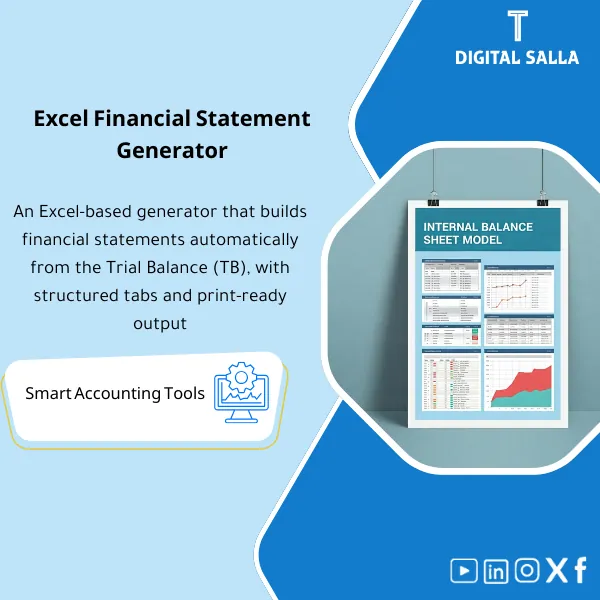
Financial Statements Builder – Excel File
238
Simple Excel Financial Statements Tool helps companies prepare internal financial statements quickly and easily. Paste the trial balance and generate automatically updated statements, with editable classifications and a guidance file to ensure accuracy.
Still Building Financial Statements Manually — And Praying the Numbers Tie Out?
This ready-made Excel workbook lets you import your trial balance and automatically generate a complete set of financial statements — Income Statement, Balance Sheet, and Cash Flow — with a built-in Tie-Out verification sheet that catches every mismatch before your reviewer does. One file, seven powerful sheets, zero formula headaches.
🛡️ 7-Day Guarantee
📊 Editable Excel File
5 Signs You Need This Financial Statements Builder
1Hours Lost on Manual Formatting: You spend more time adjusting rows and columns than actually analyzing the numbers — every reporting cycle feels like starting from scratch.
2Errors Between Statements: Net income on your P&L doesn’t match equity movement on the Balance Sheet, and you only catch it after the partner review.
3Inconsistent Presentation: Different team members produce statements with different layouts, making comparative analysis and quality review a nightmare.
4No Automatic Tie-Out: You manually cross-check totals across statements with no built-in validation — mistakes slip through unnoticed until it’s too late.
5Rebuilding Every Period: Without a reusable template, each quarter means rebuilding the entire workbook from a blank sheet instead of simply updating the trial balance.
What You Get
One Excel file containing 7 interlinked sheets — import your trial balance once and let the formulas do the rest.
| Trial Balance Import (TB Import) | Paste your TB data with account code, name, debit, credit, and balance columns — the engine that feeds every other sheet. |
| FS Mapping Sheet | Map each TB account to the correct financial statement line item — unmapped accounts are flagged automatically so nothing falls through the cracks. |
| Income Statement (P&L) | Revenue, cost of sales, operating expenses, and net income — all auto-populated with comparative period columns. |
| Balance Sheet | Assets, liabilities, and equity presented in a clean, audit-ready format with automatic totals and cross-checks. |
| Cash Flow Statement | Indirect method — operating, investing, and financing activities derived from Balance Sheet movements and P&L data. |
| Tie-Out Sheet | Verifies that TB totals equal the sum of all mapped statement lines — any difference is highlighted instantly so you fix it before sign-off. |
| Pack Index | Cover page with a navigation index, preparer/reviewer sign-off fields, and reporting period details — ready for professional presentation. |
How to Use It — 4 Simple Steps
Import Your Trial Balance
Export the TB from your accounting system and paste it into the TB Import sheet. The template auto-detects account structure — just make sure columns match the labeled headers.
Map Accounts to Statement Lines
Open the FS Mapping sheet and assign each account to its corresponding financial statement line item. Any unmapped account is flagged so you never miss a balance.
Review the Tie-Out
Switch to the Tie-Out sheet and confirm all differences show zero. If a variance appears, trace it back to the mapping — the sheet tells you exactly where the gap is.
Export and Present
Print or save the completed statements to PDF. Use the Pack Index as your cover page — add preparer and reviewer names, and your financial reporting pack is ready to submit.
Before vs. After This Financial Statements Builder
| Aspect | ❌ Without | ✅ With Product |
|---|---|---|
| Preparation Time | 4–8 hours of manual formatting each period | 30 minutes — paste TB and review outputs |
| Accuracy | Manual cross-checks prone to human error | Automatic Tie-Out catches every mismatch instantly |
| Presentation Quality | Inconsistent layouts across team members | Uniform, audit-ready format every time |
| Reusability | Rebuild workbook from scratch each quarter | Update the TB and all statements refresh automatically |
You’re an accountant, auditor, or financial controller who prepares periodic financial statements. You work in a small to mid-size firm or company without a fully automated ERP reporting module, and you want a professional, reusable Excel template that saves hours and eliminates tie-out errors.
You already have a fully automated ERP reporting suite that generates audited financial statements. This template is also not designed for group consolidation across multiple entities or for XBRL/iXBRL regulatory filing.
Which version of Excel do I need?
The file works with Excel 2016 and later, including Microsoft 365. All formulas use standard Excel functions — no macros or VBA required.
Can I customize the line items to match my chart of accounts?
Absolutely. The Mapping sheet is fully editable — you can add, rename, or reorganize line items to fit any chart of accounts or reporting framework.
Which method does the Cash Flow Statement use?
It uses the Indirect Method, starting from net income and adjusting for non-cash items and working capital movements — the most widely accepted approach in practice.
What if my Tie-Out sheet shows a difference?
The sheet highlights the exact variance and points you to unmapped or double-mapped accounts. Fix the mapping, and the difference clears to zero — no guesswork involved.
Ready to Build Audit-Ready Financial Statements in Minutes Instead of Hours?
One Excel file — paste your trial balance, map your accounts, and get a complete statement pack with automatic Tie-Out verification. Done.
| الفئات | Financial Close & Financial Statements |
|---|---|
| Job Title | Accountant |
| Level | Beginner |
| Format | Excel |







Reviews
Clear filtersThere are no reviews yet.