
RPA in Accounting Accounting Robots • Automating Repetitive Tasks • Future of Accounting
Robotic Process Automation (RPA): How to Use "Bots" in Reconciliations and Invoice Entry?
RPA in Accounting is no longer an experimental idea: accounting robots can perform routine steps (downloading reports, preparing files, entering invoices, conducting reconciliations, sending alerts) with speed and accuracy. However, success doesn't come from just "running a bot"; it comes from choosing suitable processes, building validation controls, and establishing governance that prevents errors and ensures operational continuity. This guide explains the practical path from scratch to measuring ROI.
To establish properly: Financial Technology
Understanding the transaction ecosystem (payments/reconciliations/systems) makes automation design easier and reduces exceptions that cause robots to fail.
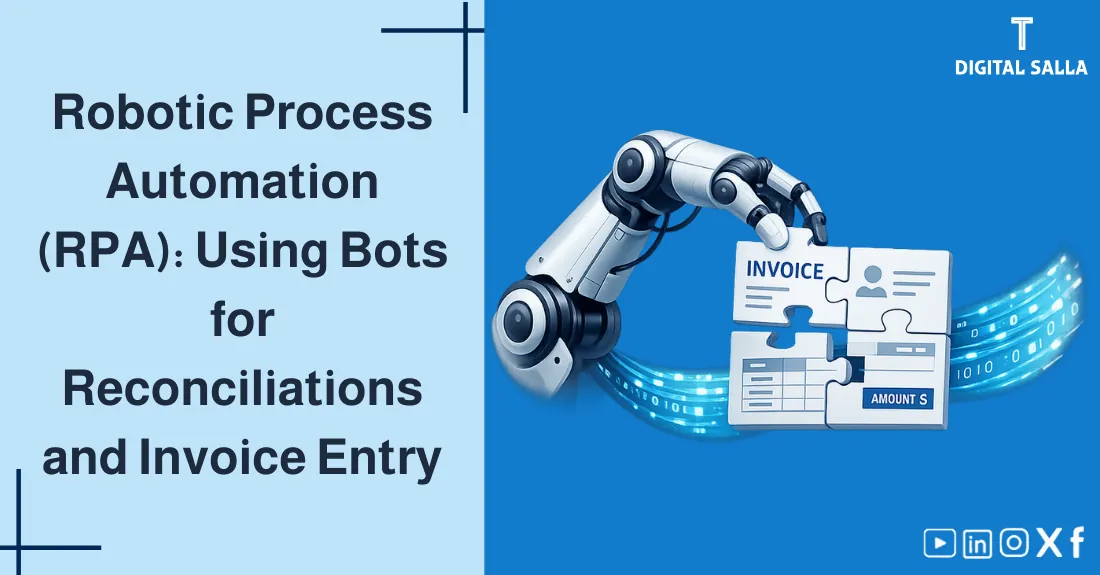
The accounting robot repeats employee steps... but with higher quality when rules and controls are built correctly.
What will you gain from this article?
- A clear definition of RPA in Accounting and when it is suitable.
- Practical examples of accounting robots: reconciliations, invoice entry, and sending exceptions.
- A diagram (SVG) illustrating the process journey from source to entry and report.
- A checklist of criteria for choosing the "right process" for automation and reducing exceptions.
- ROI calculation method + 30/60/90 day implementation plan.
Table of Contents Updates automatically during scroll
1) What is RPA in Accounting? 2) Difference between RPA, API, and Macros 3) Where do Accounting Robots succeed? 4) SVG Diagram: Practical Example from Reconciliation to Entry 5) Choosing Suitable Processes for Automating Repetitive Tasks 6) Controls and Governance: How to Prevent Errors and Manipulation? 7) Measuring ROI: How to Calculate Expected Return? 8) 30/60/90 Day Implementation Plan 9) Common Mistakes that Fail RPA Projects 10) The Future of Accounting with Automation 11) Frequently Asked Questions 12) Conclusion
ROI Calculation Process Selection
1) What is RPA in Accounting?
RPA in Accounting (Robotic Process Automation) means using a software "bot" that performs the same steps as an employee on a system screen: logging in, opening a screen, downloading a report, arranging data, entering/updating, and then saving or sending a notification. Therefore, it is sometimes called "automation over the interface" because it doesn't require deep changes to systems.
Simple Idea: If your daily task is "click-click-copy-paste-save" with fixed rules, it is an excellent candidate for automating repetitive tasks via accounting robots.
2) Difference between RPA, API, and Macros (To avoid choosing the wrong tool)
Quick comparison to help you choose the right solution
| Option | How it works? | When is it best? | Common Risks |
|---|---|---|---|
| API | Direct integration and structured data exchange | When a documented API is available and there's a permanent need | Longer development, reliance on technical teams |
| RPA | Mimics the user on the interface (UI) | When API is absent or there are multiple systems and steps | Affected by interface changes and exceptions |
| Macros/Excel | Automation within a single file/tool | Simple operations within Excel or data preparation | Weak governance if versions and permissions aren't controlled |
Practical Decision Rule: If an API is possible, it is usually "most stable". If no API exists or you have scattered steps between multiple systems, RPA starts quickly and provides early value.
3) Where do Accounting Robots succeed? (Realistic Use Cases)
3.1 Bank Reconciliation
- Downloading bank statements + system reports (ERP/POS/Payment Gateway).
- Unifying format, then matching according to keys (date/amount/reference).
- Extracting "exceptions" and sending them for review.
3.2 Accounts Payable (AP) Invoice Entry
- Receiving invoices (PDF/Portal/Email) then entering data according to fixed rules.
- Verifying supplier, invoice number, tax, and cost centers.
- Directing exceptional cases to the reviewer instead of stopping the process entirely.
3.3 Updating Repetitive Reports
- Downloading daily/weekly reports.
- Updating tracking files (reconciliations, aging of debts, collection).
- Sending automated emails with summaries and exceptions.
Useful links for practical application (products):
Financial Digital Transformation Strategic Plan Download Triple Matching and Variance Processing Tool
These tools help you transform the "process" into defined steps suitable for automation and measurement—this is the foundation of RPA success.
4) SVG Diagram: Practical Example from Reconciliation to Entry
The following diagram illustrates a simple accounting robot scenario: downloading data, conducting reconciliation, then creating entries/outputs, with a check point (Checks) that prevents passing errors.
Diagram illustrating steps: data sources, cleaning and preparation, reconciliation, verification, then entry/report with exceptions for review.
The secret to accounting robot success is the "exception bucket": instead of stopping the process, non-standard cases are sent to the reviewer with a clear reason.
5) Choosing Suitable Processes for Automating Repetitive Tasks (Non-negotiable Criteria)
Not everything is suitable for automation. To succeed in automating repetitive tasks via RPA, test the process with these criteria:
3-Way Match Toolkit - Excel File
Simple decision matrix for choosing RPA processes
| Criterion | Question | "Suitable" Signal |
|---|---|---|
| Repetition | Is the process daily/weekly? | The same steps repeat constantly |
| Clear Rules | Are there fixed rules? | Clear If/Then decisions |
| Exceptions | What percentage of cases are non-standard? | Few exceptions that can be isolated |
| Verifiability | Can Checks be put in place? | Outputs can be digitally tested |
| Interface Stability | Do system screens change often? | Stable system or managed changes |
Practical Point: Start with one "clean" process that gives a Quick Win, then expand gradually—this reduces resistance to change and proves value quickly.
6) Controls and Governance: How to Prevent Errors and Manipulation?
The biggest mistake in RPA in Accounting projects is considering the robot a "fast employee" without controls. The robot must work within a clear governance system: who changes rules? who approves? where are logs?
6.1 Internal Verification Controls (Checks)
- Balance/Total Check: Do not write/post if totals do not match.
- Uniqueness: Prevent entering the same invoice/transaction twice.
- Reasonableness: Limits for taxes/discounts/abnormal amounts.
6.2 Auditable Operation Log (Logs)
- Recording operation time + number of transactions + number of exceptions + cause of each exception.
- Recording any change in rules/versions (Versioning).
- Recording who launched the operation and who approved the outputs.
6.3 Data Security and Robot Permissions
The robot doesn't need "Administrator permissions" to work. Make its permissions Least Privilege, separate development and operation environments, and protect credentials.
Next Step: Accounting Information Security
Because robots deal with sensitive financial data, protecting credentials and logs is a core part of automation success.
7) Measuring ROI: How to Calculate Expected Return from RPA?
Measuring the return is what turns an "automation idea" into an "investment decision". Use a simple model that starts from time and expands to the cost of errors.
Simplified ROI Calculation Model (Adjustable)
| Item | Example | How to Calculate It? |
|---|---|---|
| Hours Saved Monthly | 120 hours | Number of executions × manual task time |
| Hour Value | 150 SAR/hour | Employee cost + operational overhead |
| Direct Monthly Saving | 18,000 SAR | Saved hours × Hour value |
| Operation/Maintenance Cost | 3,000 SAR | License + Monitoring + Support |
| Error Reduction Value | Non-fixed | Re-work + closing delay + compliance risks |
Golden Rule: Do not exaggerate ROI. Start with "Time + Re-work errors". And if the process is sensitive (taxes/invoices/collection), add risk impact rationally.
8) 30/60/90 Day Implementation Plan (Practical and Direct)
Days 1–30: Discovery and Design
- Choose one high-repetition process with few exceptions.
- Document steps (As-Is) + define inputs and outputs.
- Build mandatory Checks + define the "exception bucket".
Days 31–60: Build and Trial
- Develop the robot + link it with systems/files.
- Test on historical data + record Logs.
- UAT session with accounting: acceptance/rejection + exception rules.
Days 61–90: Managed Operation and Expansion
- Run on actual scale with daily monitoring.
- Improve exceptions and rules instead of adding new processes quickly.
- After stability: Add a second linked process (e.g., Reconciliation + Report Update).
9) Common Mistakes that Fail RPA Projects (Avoid from the Beginning)
9 Most Famous Traps:
- Choosing a process with many exceptions then accusing RPA of failure.
- Lack of unique keys (IDs) causing duplicate entries.
- Absence of clear Logs—so causes are lost when a problem appears.
- Granting the robot unnecessarily broad permissions.
- Lack of a contingency plan (Fallback) when the interface fails.
- Changing system screens without notifying the automation team.
- Automating "chaos" instead of fixing the process first.
- Measuring project success by speed only, without quality and reconciliations.
- Neglecting to train the team on reading and handling exceptions.
Conclusion: RPA succeeds when the process is clearly managed (rules + Checks + exceptions + governance). Without that, the robot will repeat chaos quickly... and that is the worst scenario.
10) The Future of Accounting with Automation: What remains for the accountant?
When accounting robots expand and automating repetitive tasks increases, accounting doesn't disappear—it transforms. Manual work decreases, while the value of: analysis, exception interpretation, control design, and data quality elevation rises. This is the future of accounting: an accountant leading the system instead of consuming time in entry.
Important Detail: Artificial Intelligence in Accounting
After automation comes the intelligence layer: anomaly detection, risk prediction, and dispute pattern analysis—but it needs clean data and strong governance.
11) Frequently Asked Questions
What is RPA in Accounting?
RPA in accounting is the use of software robots (Bots) to mimic employee steps on systems with the goal of automating repetitive tasks, reducing errors, and accelerating monthly closing.
What is the difference between RPA and integration via API?
API is a structured direct integration between systems. RPA works above the interface and mimics the user, suitable when there's no API or when fast automation for multiple manual steps is needed.
What are the best tasks for accounting robots?
Repetitive, rule-based tasks with few exceptions and verifiable inputs/outputs like: bank reconciliations, invoice entry, and report preparation.
How do I measure ROI from RPA implementation?
Calculate hours saved monthly × cost per hour, then subtract development, operation, and maintenance costs, and add the value of error reduction and re-work for a realistic return.
Is RPA secure? And how do I protect data?
It is secure when clear governance is applied: least privilege permissions, separation of roles, auditable Logs, credential protection, and a disaster recovery plan.
12) Conclusion
The success of RPA in Accounting doesn't depend on "tool power" alone, but on choosing a suitable process, installing verification controls and operation logs, and managing exceptions smartly. Start with one process for automating repetitive tasks (stable with few exceptions), then expand gradually—and you will see a rapid impact on time, quality, and report confidence.
© Digital Salla Articles — General educational content. RPA feasibility and governance requirements vary by organization size, data sensitivity, and diversity of systems and exceptions. It is preferred to start with a small scope then expand after operational stability.